Choose the right mobile access route
A browser session opens the game through a provider or eligible operator page. A home-screen shortcut provides a convenient way back to a website. An installed operator application may combine account functions and a game lobby. These routes should not be described as interchangeable downloads from Galaxsys.
Before selecting a route, decide what you need. For learning the game, the provider demo is enough. For an account-related task, use the specific operator’s official service and check current local eligibility. Installing an app does not itself establish that Tower Rush 2 is present in its catalogue.
The published 97% RTP is a game specification, not a reason to trust an application. A download claiming special “higher RTP” software needs independent evidence; an unofficial client can display convincing artwork while sending you somewhere unrelated.
| Route | Installation | Main purpose | Important distinction |
|---|---|---|---|
| Mobile provider demo | Browser access | Learning with virtual credits | No casino cashier or cash withdrawals |
| Operator mobile site | Browser access | Account and game access if eligible | Catalogue and account terms belong to the operator |
| Home-screen web shortcut | Browser menu | Faster return to a trusted website | Not proof of a native game app |
| Operator application | Official supported distribution | Account and lobby convenience | Check publisher, region and exact game availability |
Android: open the browser version first
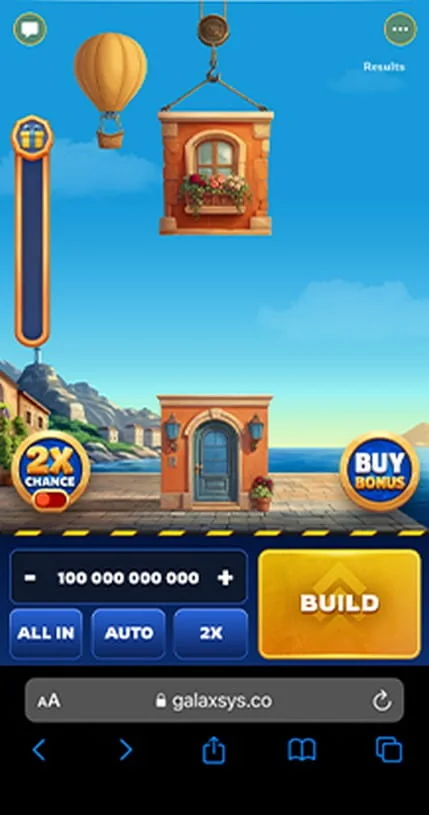
Use the provider’s mobile demo or navigate to the operator’s genuine website. Search for the full game name and confirm the developer. Once the client loads, inspect the selected stake, any extra-cost option and the cashout controls. A logo alone does not distinguish the sequel from the original.
If you want a shortcut, Chrome can offer installation or shortcut creation for supported websites through its menu. The exact wording depends on the browser and the website’s capabilities. A shortcut does not make a server-connected casino game playable offline.
If an operator offers an Android app, check the current publisher and distribution instructions on its official page. Do not follow a predictor channel to an APK mirror. If the device flags a download, stop and verify its origin rather than disabling security protections to force installation.
iPhone and iPad: browser or home-screen access
Safari can add a website to the Home Screen from its sharing controls. On supported versions, an Open as Web App option may also be available. This creates an app-like entry point for the website; it does not certify the operator or establish that a separate Tower Rush 2 App Store application exists.
Open the correct mobile client and check whether portrait or landscape gives the clearest view. Keep the stake, balance and action buttons readable without accidental taps. Do not assume a particular iPhone model or iOS version is guaranteed to work when the provider has not published a tested requirements list.
A browser shortcut and a native application can have different notification and storage behaviour. Those are convenience features. Neither justifies treating an unfamiliar download as a safer or better-paying edition of the game.
Compatibility without invented hardware requirements
A modern, maintained browser and a stable connection are sensible starting points. This guide does not invent minimum RAM, storage, Android or iOS figures for the sequel. The device, browser, operator wrapper and current client build all affect the experience.
Check practical usability before any cash session: does the screen load fully, can you read the amounts, do browser bars cover controls, and is the connection stable? Close unnecessary tabs and keep the device charged. A high advertised connection speed is not a guarantee of uninterrupted communication.
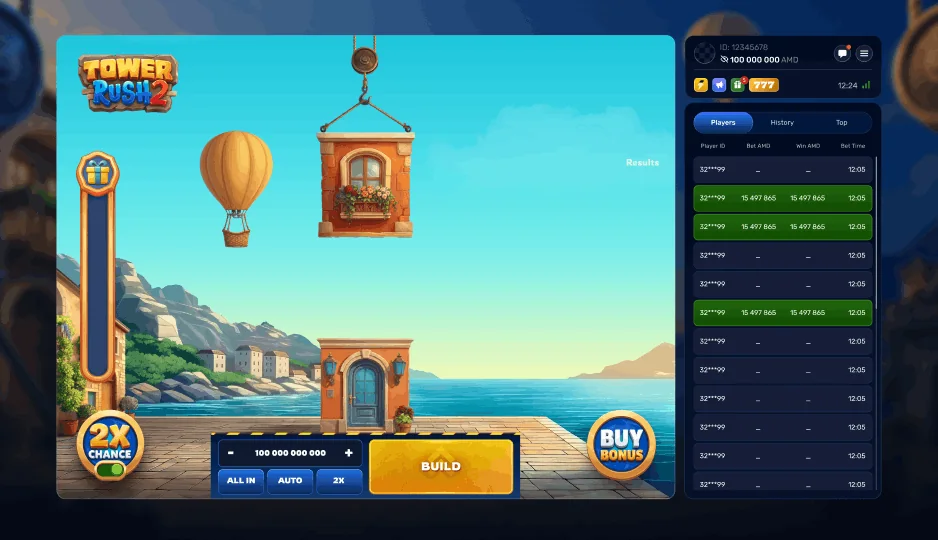
For a desktop comparison, open the dedicated demo page. Desktop may offer more room for the information panel, while mobile may be more convenient. Convenience should not become a reason to play when distracted or unable to review the price of an action.
Common mobile problems and sensible next steps
A blank game area and a failed app install are different problems. First identify which layer failed: the website, the embedded provider client, an operator login or a downloaded package. That distinction avoids unnecessary changes to the device.
If a game stops responding during a round, record what you can before reloading. Repeated button presses may not tell you which actions were accepted. Review the round history afterwards and use operator support for account settlement questions. Do not assume closing the app cancels a wager.
Updates should come from the official source used to obtain the application or browser. An unsolicited “update” in a message can be a different program. You do not need a predictor or special performance tool to read this guide or try the provider demo.
| Problem | First check | Avoid |
|---|---|---|
| Client stays on a loader | Try the provider’s direct mobile route | Installing an unrelated APK |
| Controls are clipped | Orientation, zoom and visible browser bars | Playing with unreadable prices |
| Shortcut option missing | Current browser menu and site support | Assuming all websites install identically |
| Account game not found | Exact sequel title and local catalogue | Treating original-game availability as proof |
| Round freezes | History and round identifier after reconnecting | Assuming a refund without checking |
| Security warning on download | Publisher and official distribution source | Disabling protection to proceed |
Learn the extra controls before using a small screen
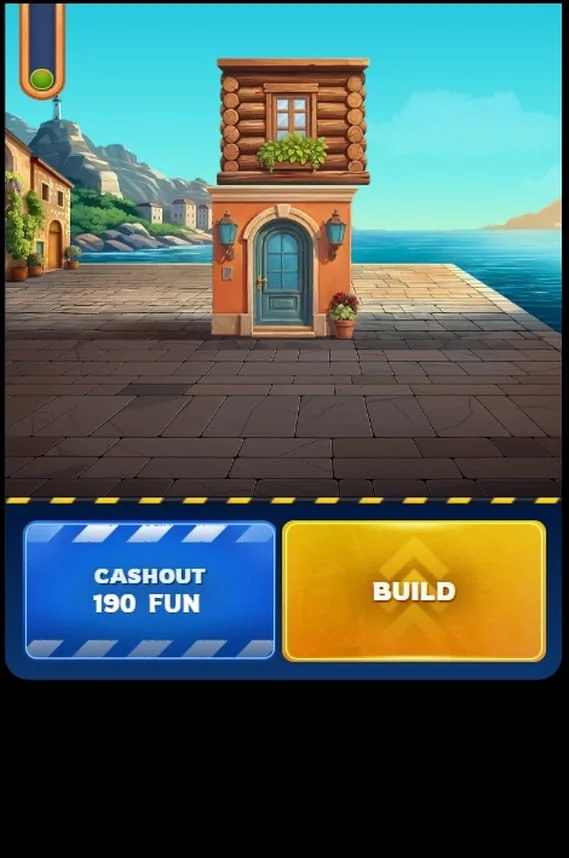
The sequel’s 50% Cashout separates banked money from the active remainder. Double Chance changes the stake cost, and Re-Buy can appear in a short window after a qualifying loss. On a phone, all three are easy to misunderstand if you focus only on the tower animation.
Use the rules walkthrough to learn the controls and the feature guide to review their conditions. If the interface feels crowded, stop and use a larger display. Missing an optional continuation is preferable to accepting a price you could not read.
Frequently asked questions
Is a separate Tower Rush 2 APK required?
No separate APK is required for the provider’s browser demo. An operator may offer its own application, which is a different product.
Can I add the game page to an iPhone Home Screen?
Safari supports adding websites through its sharing controls. The resulting shortcut or web app still opens the website and does not establish a native game download.
Does browser play mean offline play?
No. A saved icon or cached artwork does not make a remotely connected game session available offline.
What are the exact minimum device specifications?
This guide does not publish an unsupported hardware list. Check current provider or operator requirements and verify that the client works on your device.
Should I ignore an APK security warning?
Do not force installation simply to access the game. Verify the publisher and source, or use a supported browser route instead.